AI Garden Design
Plan planting beds, borders and paths with an AI garden design tool. Upload a photo of your garden and see it redesigned with new plants and layouts.
1. Upload a photo of your yard
Outdoor spaces only, no photos of people. Acceptable use
2. What are we designing?
Your redesigned yard will appear here.
Garden before & after examples
Same house, same angle. Only the landscaping changes.
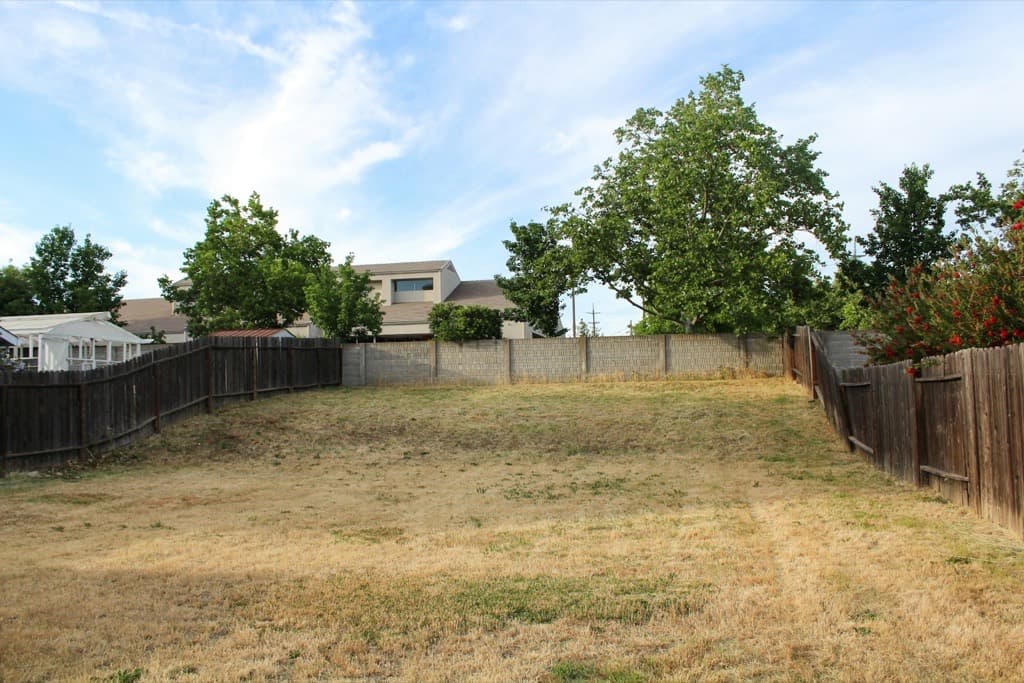 Before
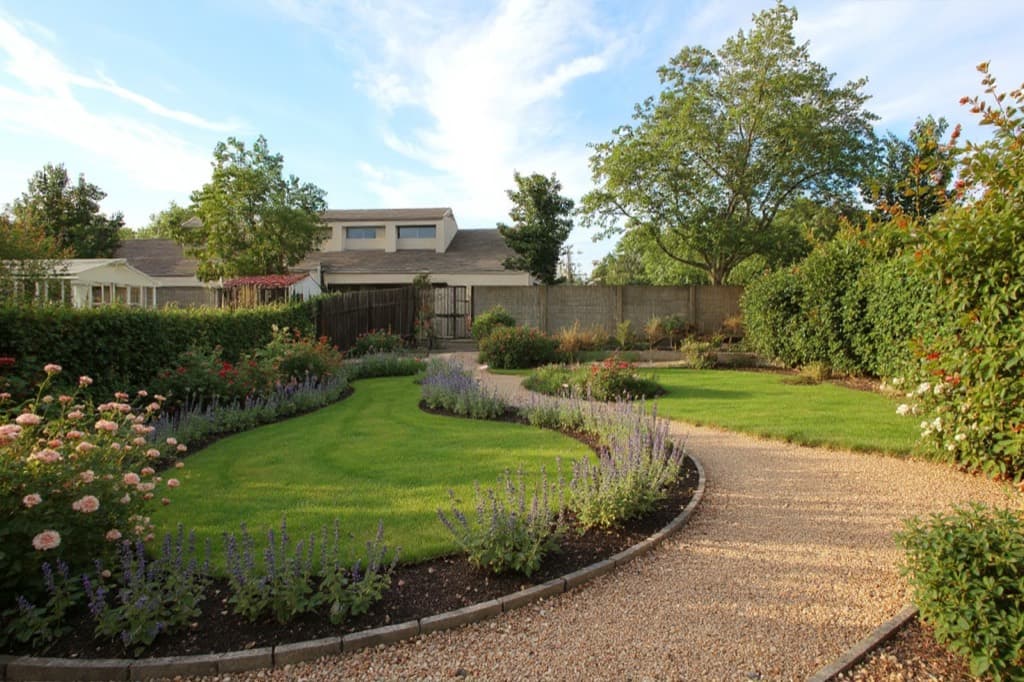 After
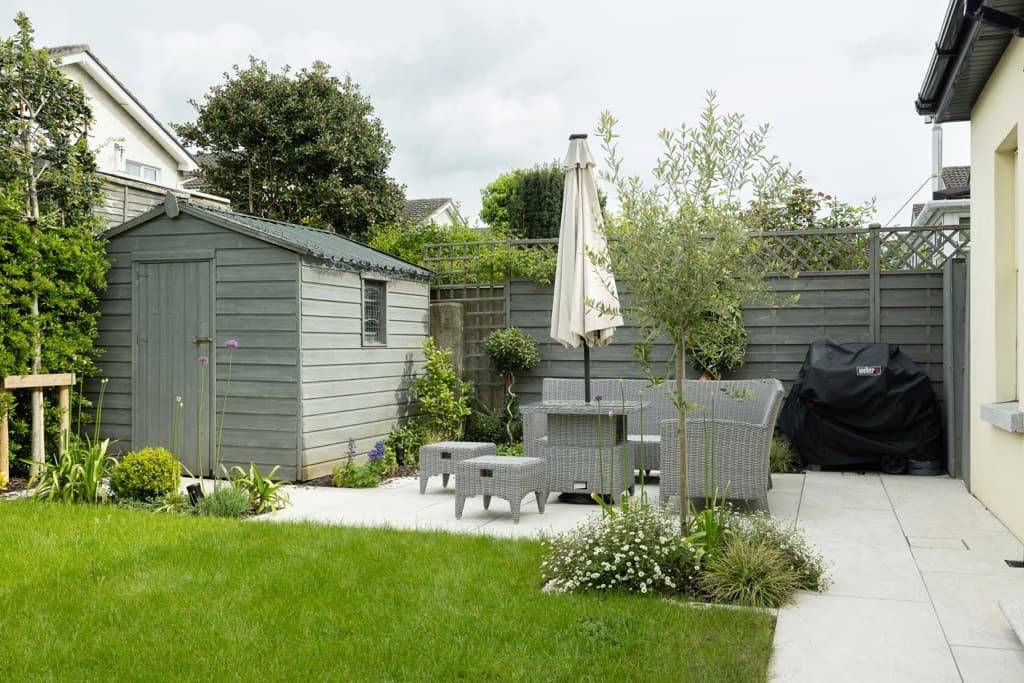 Before
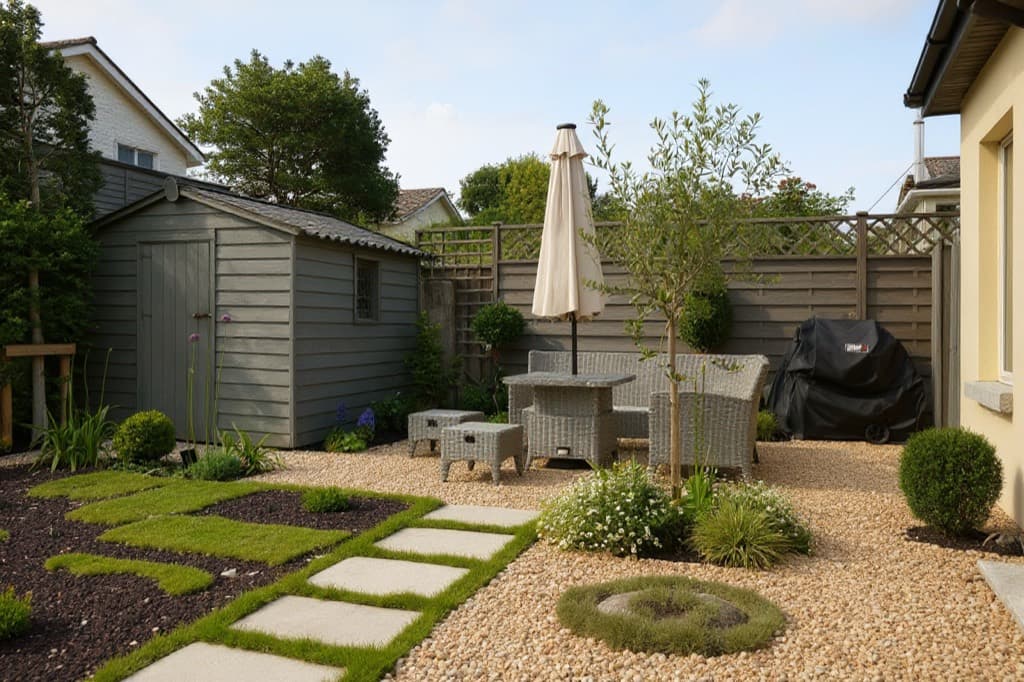 After
Garden design ideas: beds, borders and paths
Whether you're starting from a bare lawn or refreshing tired beds, the biggest decisions are where the planting goes, how people move through the garden and what style you want. Seeing it on a photo of your own space makes those choices much easier.
Lay out beds with generous curves
Wide, curved beds look more natural and give plants room to grow than thin strips along the fence. Deep borders of at least a few feet let you layer plants from low to tall for a fuller look.
Plan a path through the garden
A gravel, stepping-stone or brick path invites people into the garden and gives you access for weeding and watering. A path that curves or disappears behind planting adds a sense of discovery.
Layer plants by height and season
Put low groundcovers and edging plants at the front, perennials in the middle and shrubs or small trees at the back. Mix plants that flower at different times, plus a few evergreens, so the garden looks good most of the year.
Choose plants for your climate
Styles are a starting point, not a plant list. Lush cottage borders need regular water, while desert xeriscape and Mediterranean plantings handle heat and drought. A local nursery can suggest plants that match the look you like and thrive where you live.
Refresh the lawn you keep
Many gardens look better with less lawn in a cleaner shape. Edging the lawn neatly and replacing patchy areas with beds or gravel makes the remaining grass look intentional and easier to care for.
How to take a photo that works well
- Capture the whole area you want to plant, including fences and nearby buildings.
- Take the photo in daylight from a natural standing height, holding the phone horizontally.
- Bare lawns and tired beds make great starting photos; the contrast shows off the redesign.
Garden ideas by style
How it works
Step 1
Snap a photo
Take a daylight photo of your front yard, backyard or patio from a natural viewpoint.
Step 2
Pick a style
Choose what you're designing and a style like modern, cottage, zen or desert.
Step 3
Compare ideas
Get a realistic redesign in seconds and view it side by side with your original photo.
Explore AI designs for every space
Frequently asked questions
Is there a free garden design app?
Yes. New accounts get 3 free garden designs with no credit card. It runs in your browser, so there's no garden design software to download.
Will it pick plants for my climate?
Choose a style that suits your climate, such as desert xeriscape for dry areas. The AI shows a visual idea, so confirm plant choices with a local nursery.
Will the AI tell me exactly which plants to buy?
No. The design shows a visual direction. Use it as a reference at a local nursery or with a garden designer to choose plants that suit your climate and soil.
Can it design a garden on a bare or dead lawn?
Yes. Photos of bare or patchy lawns often give the most dramatic results, because the AI can add beds, paths and planting from scratch.
Can I try several garden styles?
Yes. Generate the same photo as a cottage garden, Japanese zen garden, Mediterranean garden or xeriscape and compare them side by side.